
WordPress Career Paths: Developer, Designer, or Admin?
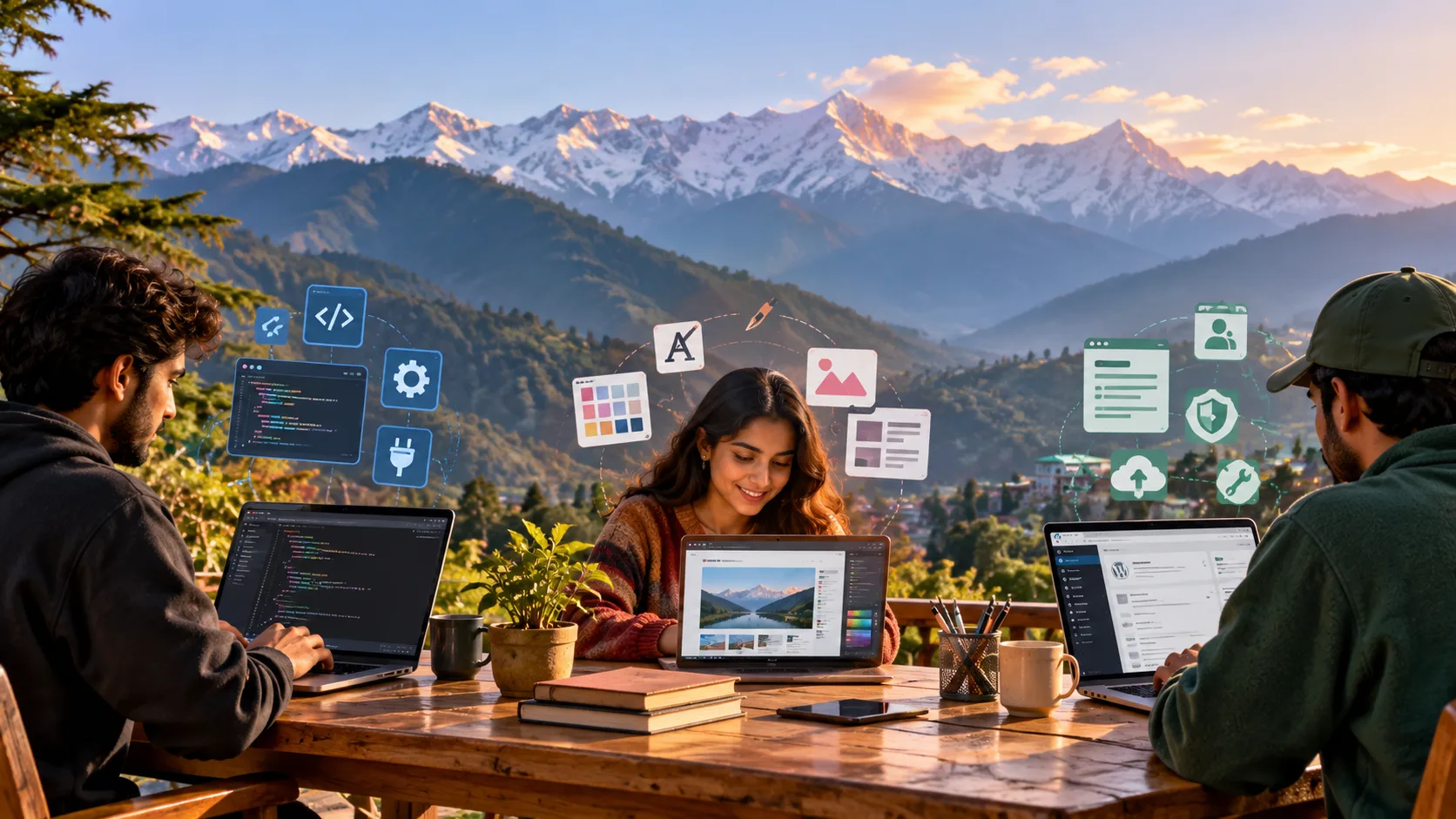
WordPress offers several career paths, including website development, website design, and website administration. A WordPress developer builds website functionality, a WordPress designer focuses on visual appearance and user experience, and a WordPress administrator manages website content, users, updates, and routine maintenance. Each role requires a different combination of technical knowledge, creativity, and organizational skills.
For beginners, choosing the right path starts with understanding what each role involves. If you enjoy coding and solving technical problems, development may suit you. If you prefer creating attractive, user-friendly layouts, design could be the right choice. If you like organizing content and keeping websites running smoothly, administration is worth exploring.
The good news is that you do not need to choose your specialization immediately. Building a few practical websites can help you discover your strengths, understand how different WordPress tasks fit together, and identify the skills you want to develop further.
At PulsePlay Academy in Dharamshala, the learning journey begins with building a strong foundation in website creation. With the right combination of structured learning and hands-on practice, beginners can explore different WordPress career paths and work toward their professional goals.
What Are the Main Career Paths in WordPress?
WordPress is a content management system (CMS) that allows users to create, publish, and manage websites. It supports everything from personal blogs and business websites to online stores and content-rich platforms.
When comparing website-building platforms, understanding WordPress vs Shopify can help beginners identify which tools and workflows they want to learn. WordPress is particularly flexible for content-driven websites and customized digital experiences, while Shopify is designed primarily around e-commerce.
Within the WordPress ecosystem, three common career paths are development, design, and administration.
WordPress Developer — Building Website Functionality
A WordPress developer creates, customizes, and maintains the technical features that make a website work. Developers may customize themes, build plugins, connect third-party services, troubleshoot errors, and improve website performance.
This path is suitable for people who enjoy logical thinking, coding, and solving technical challenges.
WordPress Designer — Creating Visual Experiences
A WordPress designer focuses on how a website looks and feels. Their work includes page layouts, typography, color schemes, navigation, responsive interfaces, and user experience.
Designers may use WordPress themes, visual page builders, design tools, and CSS to turn ideas into attractive, accessible websites.
This path is a good fit for people who enjoy creativity, visual communication, and understanding how visitors interact with digital content.
WordPress Administrator — Managing Website Operations
A WordPress administrator looks after the day-to-day management of an existing website. Responsibilities may include publishing content, managing user accounts, updating plugins, monitoring website performance, maintaining backups, and coordinating technical fixes.
This role suits people who are organized, detail-oriented, and comfortable working with website management tools.
Although these career paths have different priorities, they often overlap. Freelancers and professionals in smaller teams may handle design, development, and administration tasks within the same project.
What Does a WordPress Developer Do?
A WordPress developer builds and maintains the technical features that support a website’s functionality. Depending on the position, the work may range from customizing an existing theme to developing complex plugins and integrations.
Developers help businesses create websites that are reliable, responsive, secure, and suited to their requirements.
Key Responsibilities of a WordPress Developer
Common responsibilities include:
- Customizing WordPress themes to meet design and functionality requirements.
- Developing or modifying plugins to introduce new features.
- Writing and maintaining HTML, CSS, JavaScript, and PHP code where needed.
- Troubleshooting errors and resolving compatibility issues.
- Integrating payment gateways, APIs, forms, and other third-party services.
- Improving website loading speed and overall performance.
- Supporting website security and maintaining coding standards.
- Testing website functionality across browsers and devices.
- Maintaining existing websites as business requirements change.
Not every developer performs all these tasks. A professional who mainly customizes themes may have different responsibilities from a developer who builds plugins or works on complex integrations.
Essential WordPress Developer Skills
To pursue WordPress development, beginners should gradually build a combination of CMS knowledge and programming skills.
Important skills include:
- WordPress fundamentals: Understanding the dashboard, themes, plugins, pages, posts, and media library.
- HTML: Structuring website content and interface elements.
- CSS: Controlling layouts, spacing, typography, and visual presentation.
- JavaScript: Adding interactive features and dynamic behavior.
- PHP: Understanding the programming language commonly used in WordPress themes, plugins, and server-side functionality.
- Database fundamentals: Learning how websites store and retrieve information.
- Debugging: Identifying the causes of errors and testing possible solutions.
- Performance optimization: Understanding caching, image optimization, and efficient website configurations.
- Security awareness: Recognizing common vulnerabilities and following safer development practices.
Beginners do not need to master every skill at once. Starting with WordPress fundamentals, HTML, and CSS provides a useful foundation before progressing to JavaScript, PHP, and more advanced development concepts.
HTML, CSS, JavaScript and PHP: What Should You Learn?
These technologies serve different purposes in WordPress development.
| Technology | Main Purpose | How It Helps in WordPress |
| HTML | Structures website content | Creates headings, paragraphs, forms, and other page elements |
| CSS | Controls visual presentation | Customizes layouts, colors, spacing, and responsive behavior |
| JavaScript | Adds interactivity | Supports dynamic interfaces, interactive elements, and client-side functionality |
| PHP | Powers server-side functionality | Supports WordPress themes, plugins, templates, and data processing |
Which should you learn first?
Start with HTML and CSS to understand how web pages are structured and styled. Next, learn basic JavaScript to explore interactivity. Introduce PHP when you are ready to customize WordPress functionality more deeply.
The depth of coding required depends on your intended role. A developer building custom plugins will generally need stronger programming skills than someone who primarily configures themes and page builders.
WordPress Developer Career Progression
WordPress development can lead to several professional opportunities as your skills improve.
A beginner might start by customizing themes, fixing basic layout issues, or assisting with website updates. With more practice, they may progress to building custom websites, developing plugins, or integrating external services.
Potential career directions include:
- Junior WordPress developer.
- WordPress theme developer.
- WordPress plugin developer.
- Website performance specialist.
- WordPress technical support specialist.
- CMS developer.
- Front-end developer.
- Full-stack developer, with additional back-end and programming knowledge.
Progression depends on practical experience, technical ability, project complexity, and employer requirements. Building a portfolio of working websites can help demonstrate your capabilities to potential clients and employers.
Projects Beginners Can Build to Practise Development
Practical projects help transform theoretical knowledge into usable skills.
Here are five beginner-friendly ideas:
1. Personal portfolio website
Build a website with an introduction, project gallery, skills section, and contact form. Practise theme customization, navigation, and page layouts.
2. Small-business website
Create a website for a fictional café, local shop, or service provider. Include service pages, business information, contact details, and a clear navigation structure.
3. Custom landing page
Build a landing page for a product or service. Experiment with HTML, CSS, typography, responsive layouts, and calls to action.
4. Custom theme modification
Start with a suitable theme and modify its styling or templates. Learn how theme settings, CSS, and template structures affect the final website.
5. Plugin-based functionality project
Create a small project that uses plugins to add features such as contact forms, event listings, or appointment requests. Practise configuring plugins and testing compatibility.
As you become more comfortable, explore building simple custom functionality. Keep track of what you changed, which problems you solved, and how you tested the result.
What Does a WordPress Designer Do?
A WordPress designer creates the visual structure and user experience of a website. Their goal is to make websites attractive, easy to navigate, accessible, and consistent with the identity of the business or organization.
Although designers may work with code, their primary focus is the relationship between appearance, usability, and user needs rather than complex website functionality.
WordPress Designer Responsibilities
A WordPress designer may be responsible for:
- Planning page layouts and website structures.
- Selecting typography, colors, imagery, and visual elements.
- Designing navigation menus and page hierarchies.
- Customizing WordPress themes and page-builder layouts.
- Creating responsive layouts for mobile phones, tablets, and desktops.
- Improving readability and accessibility.
- Maintaining visual consistency across website pages.
- Collaborating with developers, content writers, and business owners.
- Testing designs and refining them based on feedback.
For example, a designer creating a website for a Himalayan homestay might use natural imagery, clear typography, and a simple booking journey to reflect the property while helping visitors find essential information.
The challenge is not simply to make the website look attractive. It must also help visitors understand the content and complete their intended tasks.
Essential Design Skills and Tools
Successful WordPress designers combine visual judgment with practical website knowledge.
Core skills include:
- Layout design: Organizing content into clear, logical sections.
- Typography: Choosing readable fonts and establishing a consistent hierarchy.
- Color theory: Using colors that support the brand and maintain sufficient contrast.
- Visual hierarchy: Making important information easy to identify.
- User interface design: Creating clear buttons, menus, forms, and interactive elements.
- User experience: Understanding how visitors move through a website.
- Responsive design: Adapting layouts to different screen sizes.
- Accessibility: Making content and interfaces usable by people with different needs.
- WordPress customization: Using themes, blocks, page builders, and appropriate CSS adjustments.
Designers may also use wireframing, prototyping, and image-editing tools to plan website interfaces before implementing them in WordPress.
You can begin with the WordPress block editor or a suitable page builder. More advanced design projects may require a deeper understanding of CSS and how website themes control their layouts.
Responsive Design and User Experience
A website must work well across a range of devices. A layout that looks polished on a desktop may become difficult to navigate on a mobile phone if text is too small, buttons are crowded, or important content is hidden.
Responsive design helps a website adapt to different screen sizes and viewing conditions.
Good user experience also involves:
- Clear navigation and meaningful page headings.
- Readable text and appropriate spacing.
- Consistent buttons and interface elements.
- Optimized images and reasonable loading times.
- Forms that are easy to complete.
- Sufficient color contrast and accessible interaction patterns.
- Logical content organization.
Designers should test their work on mobile and desktop screens rather than assuming that a theme or page builder will automatically produce an excellent result.
WordPress Designer Career Opportunities
WordPress design skills can support several career directions, including:
- WordPress website designer.
- Junior UI designer.
- Website layout and customization specialist.
- Landing page designer.
- Freelance website designer.
- Small-business website consultant.
- Digital design assistant.
- E-commerce website designer.
Some positions focus exclusively on visual design, while others combine design with website implementation, content management, or basic front-end development.
The skills you need will depend on the type of clients you want to work with and the complexity of the projects you hope to handle.
How to Build a WordPress Design Portfolio
A design portfolio gives potential clients and employers a way to evaluate your work.
You do not need a long list of paid projects to begin. You can create realistic sample websites that demonstrate your design decisions and technical abilities.
Consider including:
A business website: Demonstrate branding, navigation, page hierarchy, and consistent visual styling.
A personal portfolio: Show how you organize content and present information about a person or professional service.
An e-commerce storefront: Practise product layouts, category pages, product details, and shopping navigation.
A mobile-friendly landing page: Demonstrate responsive layouts, readable typography, and clear calls to action.
For each project, document the purpose of the website, the intended audience, the design choices you made, and how you tested the finished pages.
A strong portfolio communicates not only what you created but also why your design decisions make sense.
What Does a WordPress Administrator Do?
A WordPress administrator manages the day-to-day operation of a website. While developers may build functionality and designers may improve the interface, administrators help ensure that the website’s content, users, and routine maintenance remain organized.
This role is important for businesses that depend on their websites to publish information, generate leads, support customers, or sell products.
WordPress Administrator Responsibilities
Typical administrative responsibilities include:
- Creating, editing, and publishing pages and posts.
- Organizing content using categories and tags.
- Uploading and managing images and other media.
- Managing user accounts and access permissions.
- Installing and configuring approved plugins and themes.
- Checking for updates and compatibility issues.
- Maintaining backups and coordinating restoration when necessary.
- Monitoring website availability and basic performance.
- Reviewing forms and other website features.
- Coordinating with developers when technical issues require specialist support.
For example, an administrator managing a company website might publish a new article, update a service page, check that the contact form works, and coordinate with a developer if a plugin update causes an error.
The exact responsibilities depend on the website’s size and the organization’s internal processes.
Essential Website Management Skills
WordPress administrators benefit from a combination of CMS knowledge, organization, and technical awareness.
Important skills include:
- Navigating the WordPress dashboard.
- Creating and editing pages and posts.
- Managing media and content organization.
- Understanding user roles and permissions.
- Updating themes and plugins carefully.
- Recognizing common website issues.
- Understanding basic SEO and content formatting.
- Following backup and recovery procedures.
- Maintaining documentation and checklists.
- Communicating effectively with developers and content teams.
Basic administration generally requires less programming than advanced development. However, administrators should understand how their actions affect the website and know when to escalate an issue rather than attempting an unfamiliar technical fix.
WordPress Security, Backups and Updates
Website maintenance is an important part of administration.
Outdated software, weak passwords, excessive permissions, and poorly maintained plugins can increase security risks. Administrators help reduce these risks by following consistent maintenance procedures.
Good practices include:
- Keeping WordPress core, themes, and plugins updated.
- Using strong passwords and appropriate authentication controls.
- Giving users only the permissions they need.
- Maintaining regular backups and checking that restoration is possible.
- Removing unused themes and plugins when appropriate.
- Monitoring website availability and suspicious activity.
- Testing important functionality after updates.
- Using staging environments for higher-risk changes when available.
Backups should be stored securely, and administrators should understand how to restore the website if a problem occurs.
For important business websites, maintenance should be treated as an ongoing responsibility rather than a task performed only when something goes wrong.
Content Management and User Permissions
WordPress provides different user roles to help control what people can do on a website.
For example, an editor may manage and publish content, while an author can generally publish and manage their own posts. Contributors can write posts but ordinarily cannot publish them independently. Administrators have broader control over site settings and user management.
Understanding these distinctions helps prevent accidental changes and supports a more secure workflow.
Administrators may also establish content review procedures, organize media files, maintain consistent formatting, and ensure that published information is accurate.
For larger websites, they may coordinate with marketing teams, editors, designers, and developers to keep the website aligned with business requirements.
WordPress Administrator Career Opportunities
Website administration skills can support several professional roles, including:
- WordPress website administrator.
- CMS executive.
- Website content manager.
- Website maintenance specialist.
- Digital operations assistant.
- Content publishing specialist.
- E-commerce website administrator.
- Website support coordinator.
Some positions focus mainly on publishing content, while others include technical maintenance, SEO implementation, performance monitoring, or coordination with development teams.
As your skills grow, you may also move toward website operations, digital project coordination, or more technical CMS management.
WordPress Developer vs Designer vs Admin: Key Differences
The main difference between a WordPress developer, designer, and administrator is the primary responsibility of each role.
Developers focus on functionality and code, designers focus on visual presentation and usability, and administrators focus on website operations and content management.
| Factor | Developer | Designer | Administrator |
| Primary focus | Functionality and code | Visual design and usability | Website operations |
| Main skills | PHP, JavaScript, HTML, CSS, debugging | Layout, UX/UI, typography, CSS | CMS management, content, updates, backups |
| Coding depth | Usually higher | Varies by role | Usually basic |
| Typical work | Custom features, theme development, integrations | Page layouts, visual styling, responsive interfaces | Content publishing, user management, maintenance |
| Main tools | WordPress, code editor, debugging tools | WordPress, page builders, design tools | WordPress dashboard, maintenance and backup tools |
| Problem-solving focus | Technical errors and functionality | Creative thinkers | Organized, detail-oriented people |
| Best suited to | Technical problem-solvers | Creative thinkers | Organized, detail-oriented people |
| Example project | Building a custom booking feature | Designing a responsive service page | Publishing content and checking website updates |
| Possible career direction | Developer, plugin specialist, full-stack develope | Website designer, UI designer, freelance designer | CMS manager, website administrator, maintenance specialist |
These distinctions are useful starting points, not rigid boundaries. In smaller businesses and freelance projects, one person may manage the entire website.
For example, a freelancer might design the pages, configure the WordPress theme, add contact forms, publish content, and maintain backups. As projects become more complex, specialized roles often become more valuable.
The best career path depends on your interests, preferred working style, and willingness to develop the skills required for your chosen role.
Which WordPress Career Path Is Best for Beginners?
There is no single WordPress career path that is best for everyone. The right choice depends on whether you prefer technical problem-solving, creative work, or website management.
Beginners can explore all three areas through small projects before deciding where to specialize.
Choose Developer If You Enjoy Coding and Problem-Solving
WordPress development may suit you if you enjoy understanding how things work, troubleshooting errors, and building new features.
You might enjoy:
- Experimenting with HTML and CSS.
- Learning how themes and plugins work.
- Fixing website errors.
- Automating repetitive tasks.
- Connecting websites to external services.
- Creating custom functionality.
You can begin with basic website customization and gradually progress to JavaScript, PHP, and more advanced development concepts.
Choose Designer If You Enjoy Creativity and User Experience
WordPress design may be a better fit if you enjoy visual communication and creating intuitive digital experiences.
You might enjoy:
- Choosing colors and typography.
- Organizing information into page layouts.
- Designing attractive landing pages.
- Improving website navigation.
- Making interfaces work well on mobile devices.
- Understanding how visitors interact with content.
Start by recreating simple layouts, customizing themes, and testing how your designs behave across different screen sizes.
Choose Administrator If You Prefer Website Management
Website administration may suit you if you enjoy organization, content management, and keeping systems running smoothly.
You might enjoy:
- Publishing and editing articles.
- Organizing website content.
- Managing users and permissions.
- Performing routine maintenance.
- Checking website forms and links.
- Coordinating with technical teams.
This path can provide a practical entry point into CMS management without requiring advanced programming at the beginning.
Can You Start a WordPress Career Without Coding?
Yes. You can begin exploring WordPress design and administration without advanced coding skills.
Themes, the block editor, and visual page builders make it possible to create and manage many websites with limited programming knowledge.
However, learning basic HTML and CSS is useful across all three paths. These skills help you understand website structure, adjust layouts, troubleshoot presentation issues, and communicate more effectively with developers.
Advanced development generally requires stronger programming knowledge, particularly when building custom plugins, themes, or complex integrations.
Can You Learn WordPress Without Prior Experience?
Yes. Beginners can learn WordPress without previous website development experience.
A practical starting point is to understand the dashboard, create pages and posts, experiment with themes, and learn how plugins extend website functionality.
Once you are comfortable with the basics, build a complete website and practise maintaining it. You can then explore more specialized skills based on your interests.
Consistent practice is important. Understanding a concept through a lesson is helpful, but applying it to a working project provides a clearer picture of how WordPress functions in real situations.
How to Start a WordPress Career Step by Step
Starting a WordPress career becomes easier when you follow a structured learning path. Instead of trying to master every tool immediately, focus on building foundational knowledge and applying it to practical projects.
Step 1: Learn Website and CMS Fundamentals
Begin by understanding how websites work and what a content management system does.
Learn about domains, hosting, website pages, navigation, themes, plugins, and the difference between front-end presentation and back-end management.
Explore the WordPress dashboard and practise creating pages, publishing posts, uploading media, and configuring basic settings.
The goal is to become comfortable managing a simple website before moving to more advanced customization.
Step 2: Understand HTML and CSS Basics
HTML and CSS help you understand the structure and presentation of web pages.
Start with headings, paragraphs, links, images, lists, and forms in HTML. Then practise CSS properties such as colors, fonts, margins, padding, borders, and layout techniques.
Learn how responsive styling helps content adapt to different screen sizes.
These fundamentals are valuable whether you ultimately choose development, design, or administration.
Step 3: Practise WordPress Website Setup and Customization
Set up a WordPress website in a suitable learning environment.
Experiment with themes, blocks, menus, widgets where supported, and plugins. Practise changing layouts, organizing pages, and creating navigation that makes sense for visitors.
Pay attention to how different settings affect the website.
As your confidence improves, explore more advanced customization and learn to test changes before applying them to important live websites.
Step 4: Build a Practical Website Project
Choose a project with a clear purpose and a realistic audience.
For example, create a website for a small business, a portfolio for a creative professional, or a blog covering a topic you enjoy.
Include essential pages, consistent branding, functional navigation, and a responsive layout.
Test the website on mobile and desktop screens. Check links, forms, images, and page loading behavior.
A completed project demonstrates more than familiarity with WordPress terminology. It shows that you can apply your knowledge to create something useful.
Step 5: Create a Portfolio and Document Your Work
Keep a record of your projects and the skills you used.
For each website, document:
- The purpose and intended audience.
- The tools and technologies used.
- The features you implemented.
- The design or technical challenges you encountered.
- The steps you took to resolve problems.
- The improvements you would make in the future.
Designers can include screenshots and layout explanations. Developers can document functionality, code contributions, and integrations. Administrators can demonstrate content workflows, maintenance procedures, and website organization.
A portfolio helps prospective employers and clients evaluate your practical skills.
Step 6: Apply for Internships, Entry-Level Roles or Freelance Projects
Once you have a foundation and a few completed projects, begin exploring opportunities to gain professional experience.
Potential starting points include junior website roles, internships, website support positions, CMS management work, and small freelance projects.
When evaluating opportunities, look for chances to practise your skills, receive feedback, collaborate with others, and understand real project requirements.
Structured learning can help you prepare for this stage. For example, the Design & Development CMS Course covering WordPress, Shopify and WooCommerce introduces relevant website technologies and practical development topics.
At PulsePlay Academy, learners can use their foundational knowledge to identify the areas they want to explore further. For those interested in gaining industry exposure after completing their course, opportunities associated with PulsePlay Digital can provide a pathway to explore practical digital work, subject to the program’s current eligibility criteria and available placements.
The objective is to move beyond learning concepts and develop the confidence to contribute to real website projects.
What Career Opportunities Can WordPress Skills Lead To?
WordPress skills can support opportunities in website development, design, content management, maintenance, and freelance services.
The roles available to you will depend on your technical ability, experience, portfolio quality, communication skills, and the requirements of your local or target job market.
WordPress Developer Jobs
Developers may work at digital agencies, software companies, website development firms, e-commerce businesses, or organizations that maintain their own websites.
Potential positions include junior WordPress developer, theme developer, plugin developer, and CMS developer.
More advanced opportunities may involve integrations, performance optimization, custom functionality, and broader front-end or full-stack development.
Website Designer and UI-Focused Roles
People with WordPress design skills can explore website design, landing page creation, front-end design implementation, and junior UI-focused roles.
Businesses often need websites that communicate their brand clearly while making it easy for visitors to find information or take action.
A portfolio that demonstrates visual consistency, responsive layouts, accessibility awareness, and thoughtful user journeys can help support applications for these positions.
Some UI roles require additional skills in design systems, prototyping, or specialist design tools, so it is important to review individual job requirements.
Website Administrator and CMS Management Roles
Website administration skills can be useful for organizations that regularly publish content or depend on their websites for customer communication.
Possible roles include website administrator, CMS executive, content management specialist, and website maintenance assistant.
These positions may involve content updates, user management, basic SEO implementation, plugin maintenance, and coordination with technical teams.
Strong organizational skills and attention to detail are particularly valuable in roles where accuracy and reliability matter.
Freelancing and Small-Business Website Projects
Freelancing can provide another way to apply WordPress skills.
Small businesses, independent professionals, and community organizations may need websites, landing pages, portfolio sites, or ongoing maintenance.
A beginner might start with a clearly defined project, such as creating a basic business website or updating an existing site’s content and layout.
As experience grows, freelancers may offer additional services such as responsive redesigns, performance improvements, e-commerce setup, and maintenance support.
Success depends on delivering reliable work, communicating clearly, managing expectations, and developing a portfolio that demonstrates relevant skills. Income and project availability can vary considerably.
Progressing into Full-Stack Development or Specialized CMS Work
WordPress can also serve as a foundation for broader technical learning.
Developers who enjoy programming may progress toward front-end or full-stack development by learning more about JavaScript, APIs, server-side programming, databases, and application architecture.
Others may specialize in WordPress themes, plugin development, e-commerce implementations, accessibility, or website performance.
Designers may develop deeper expertise in user experience, interface systems, and front-end implementation, while administrators may progress toward digital operations or technical CMS management.
The key is to build a solid foundation and develop additional skills based on the work you want to pursue.
Common Mistakes to Avoid When Starting a WordPress Career
Learning WordPress can feel straightforward at first, but building professional-level skills requires more than following tutorials.
Avoiding these common mistakes can help you develop stronger habits.
1. Learning only through tutorials without building projects
Tutorials explain concepts, but independent practice teaches you how to apply them. Build complete websites, experiment with different features, and solve problems without relying entirely on step-by-step instructions.
2. Ignoring mobile responsiveness and accessibility
A website should be usable across devices and by people with different needs. Test layouts on smaller screens, use readable typography, maintain adequate color contrast, and make navigation accessible.
3. Installing too many plugins without understanding their impact
Plugins add useful features, but unnecessary or poorly maintained plugins can introduce compatibility problems, security risks, and performance issues. Choose reputable tools and install only what the website needs.
4. Overlooking security, backups, and updates
Website maintenance is part of building reliable digital experiences. Learn how updates work, maintain backups, use appropriate access controls, and test important functionality after making changes.
5. Applying for jobs without demonstrating practical skills
A list of completed tutorials may not show what you can do independently. Create a portfolio with working projects and explain your contributions, decisions, and problem-solving process.
6. Trying to master every specialization before developing a foundation
You do not need to become an expert developer, designer, and administrator simultaneously. Learn the fundamentals first, explore each area through practical work, and then concentrate on the path that interests you most.
Practical projects help you understand how website technologies work together.
As you build and customize websites, you can begin to identify the work you enjoy most. You may discover an interest in writing code, designing interfaces, organizing website content, or maintaining digital platforms.
This experience can help you choose a specialization more confidently and prepare a portfolio that demonstrates your abilities.
Rather than focusing only on individual tools, aim to understand the complete process of creating and maintaining a website.
From Learning to Industry Exposure
Completing a course is an important milestone, but applying your skills is equally valuable.
For learners interested in progressing toward professional digital work, the collaboration between PulsePlay Academy and PulsePlay Digital connects foundational learning with the broader digital industry.
Internship opportunities at PulsePlay Digital can offer a pathway for eligible course completers to explore practical experience, understand professional workflows, collaborate on digital tasks, and develop skills relevant to their career interests. Specific responsibilities, eligibility requirements, and placement availability depend on the program’s current arrangements.
Practical industry exposure can also help learners identify skill gaps, improve their portfolios, and understand how website development and other digital services operate beyond the classroom.
As with any internship, the value comes from the learning experience, the responsibilities undertaken, and the ability to reflect on and demonstrate the skills gained.
Take the Next Step in Your WordPress Journey
You do not need to know your entire career path before you begin.
Start by learning the fundamentals, experimenting with WordPress, and building a website of your own. Use each project to discover what interests you, whether that is development, design, administration, or a combination of these areas.
Ready to begin? Explore the Design & Development CMS Course at PulsePlay Academy, review the curriculum, and decide whether it matches your career goals.
With consistent practice, a growing portfolio, and a willingness to keep learning, you can begin working toward opportunities in the WordPress ecosystem and the wider digital industry.
Learn WordPress and Website Development at PulsePlay Academy
Building a career in WordPress begins with understanding how websites work and developing the confidence to create them independently.
At PulsePlay Academy in Dharamshala, the learning journey can start with the fundamentals of website creation and progress toward practical application. Surrounded by the quiet beauty of the Himalayas, learners can focus on developing their skills while exploring the opportunities available in the wider digital world.
For beginners interested in website design and development, the Design & Development CMS Course covers WordPress, Shopify, and WooCommerce. Its listed learning components also include HTML, CSS, and JavaScript, providing relevant foundations for understanding website structure, styling, interactivity, and content management.
You can explore the Design & Development CMS Course to review the curriculum and determine whether it aligns with your learning goals.
Why Start with Practical Website-Building Skills?
Frequently Asked Questions About WordPress Careers
A WordPress developer focuses primarily on website functionality, technical customization, and code. A WordPress designer focuses on visual presentation, page layouts, usability, and responsive design. Their responsibilities may overlap on smaller projects.
Yes. Some WordPress development roles prioritize practical skills, project experience, and a strong portfolio over a specific degree. However, employer requirements vary, and some positions may require formal qualifications or additional technical knowledge.
Basic WordPress administration usually requires little coding. Administrators can manage content, users, themes, and routine updates through the dashboard. More advanced troubleshooting and customization may require HTML, CSS, PHP, or other technical skills.
Start with the WordPress dashboard, page and post creation, themes, plugins, navigation, and basic website maintenance. Learn HTML and CSS fundamentals, practise responsive design, and build a complete website before progressing to more advanced development skills.
Yes. WordPress skills can support employment, freelance website projects, and ongoing website maintenance services. Earnings depend on your experience, skills, portfolio, project scope, client demand, and the market in which you work. No particular income is guaranteed.
PulsePlay Academy’s Design & Development CMS Course covers WordPress, Shopify, and WooCommerce, with relevant learning components in HTML, CSS, and JavaScript. Review the course curriculum to see whether its topics align with your learning needs and career goals.